Your onboarding video gets a lot of questions.
Relax, Deputy’s got you covered.
You onboard someone new, and send out a video. Deputy lets your audience interrupt in the moment, out loud. It answers the way you would, pulling up your notes and navigating content. And pings you for the unknowns.
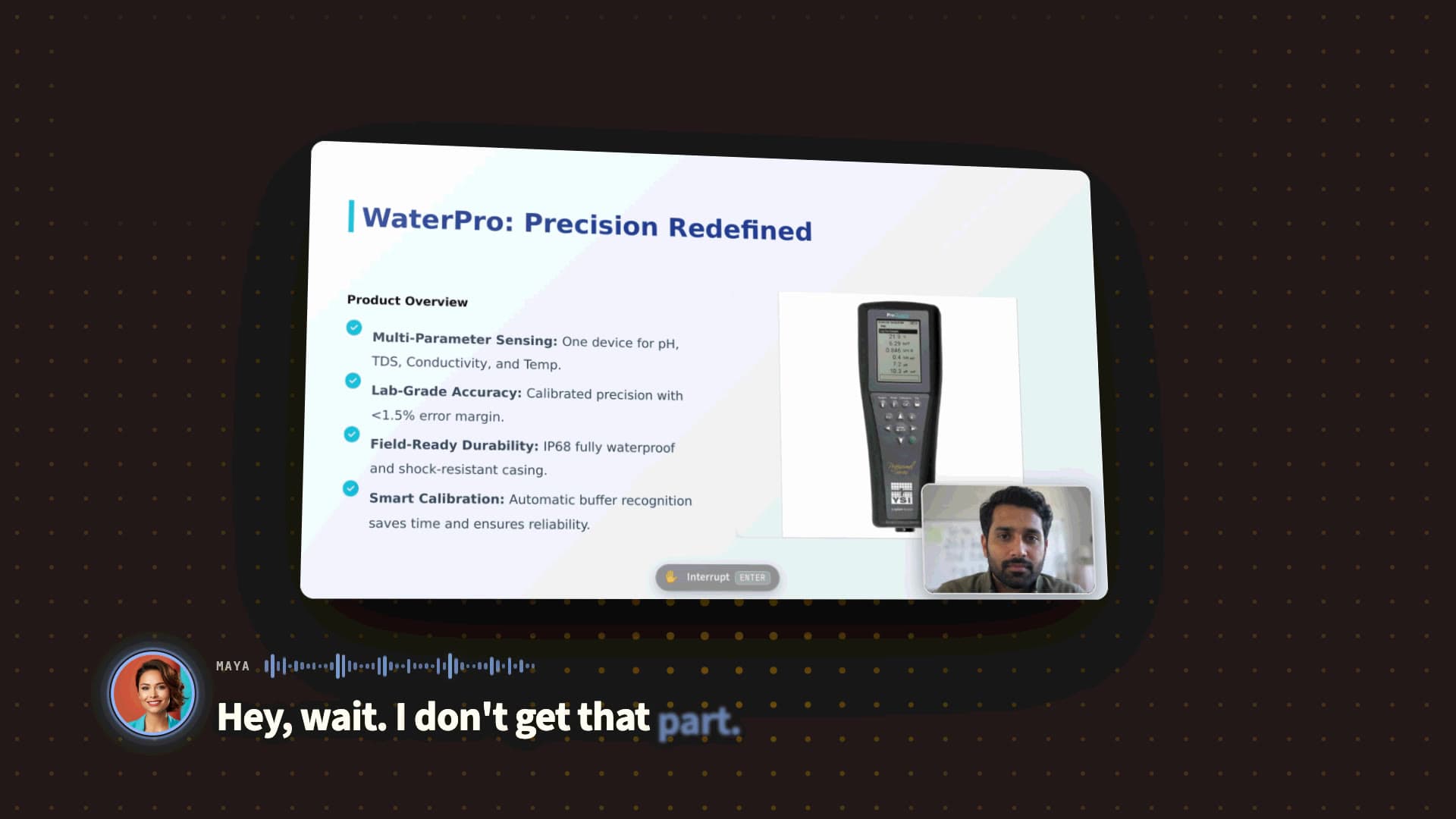
Present your onboarding, then hand it off to Deputy.
An onboarding video that can handle interruptions and give one-on-one attention.
with a direct line back to you, the expert.
Powered by an agent with…
a particular set of skills.
Use it for anyone new
New hires
Give every new hire your onboarding on their first day. They can ask their own questions without waiting for the next session.
- Made by
- Hiring manageror the team lead, and HR for policies
- Watched by
- New hireseveryone joining your team
New partners
Partners learn to sell, install and support your product at their own pace, and anything your material doesn’t cover comes to you.
- Made by
- Partner manageror the partner enablement team
- Watched by
- Your partners’ teamsthe people who sell, install and support it
New customers
Send your onboarding with the welcome email. Customers ask as they set up, and each one sees only their own questions.
- Made by
- Customer successor the implementation lead
- Watched by
- New customersthe admins and users setting it up
You’re the boss. Your Deputy is at your command.
Answers sourced to you
Deputy only answers from your onboarding and your notes, and it cites the exact line where it came from.
Unknowns sent to you
When Deputy doesn’t know, it pings you with the question and the moment it came up. Ramble a quick reply and Deputy closes the loop with whoever asked.
Never repeat yourself
Deputy remembers your answers and points out anything that conflicts with what you said before, so your onboarding stays current.
Zero setup. Just record and go.
Record
Record your screen or slide presentation, or just add Deputy to a meeting where you’re going to present.
Preview
Try clicking ‘Raise Hand’ on your session. See what happens when you ask Deputy to ‘go back’ or explain something.
Share
Share a private link with your team or make it external, with permissions you control.
And a few more tricks…
Edit by word
Cut a phrase or fix a slip in your audio. Just edit the transcript.
Re-voice with AI
Deputy can polish your script and re-narrate your whole recording.
Jargon? No problem
Deputy learns your acronyms and lingo to understand questions better.
Ready for rigorous work.
Works where you work
Share in Slack, record in Chrome, or have Deputy join the meeting on Teams, Meet, or Zoom.
Robust permissions
Decide who can watch and who can ask, internally or externally. Enterprise-ready SSO support.
Visibility and control
See every question asked and every answer given, in one inbox. Approve what Deputy learns before it answers with it.
FAQ
How do I get started?
Sign up, then upload an onboarding video you already have, or record one on Deputy, and share the link.
Who sees each person’s questions?
You choose when you share. Shared with your own team, new hires see each other’s questions by default. Shared with partners or customers, each person sees only their own.
Can Deputy record an onboarding I give live?
Yes. Add Deputy to the meeting where you give it, and it records it for you.
What happens when Deputy can’t answer?
It says so, and brings the question to you with the moment it came up. Your reply reaches the person who asked, and Deputy remembers it for next time.
Can I see what people asked?
Yes. You can replay every conversation, see which topics people ask about most, and read a full log of every question.